Native USB MIDI
Windows sees the tablet as a standard USB MIDI keyboard, with no driver. Notes, pitch bend, modulation and sustain go out on the playing channel; the controls go out on channel 16, which Live passes to the script.
 SOMA23 KEYSAndroid app · version 1.0
A control keyboard for Ableton Live, on your tablet. 32 keys, 8 encoders, the transport and a screen, connected to the computer as native USB MIDI. The included script shows the track, the clip and the device parameters; scales, chords and an arpeggiator are built in.
Android 6 or later · tablet in landscape · USB data cable · Ableton Live 10.1.13 or later · interface in French
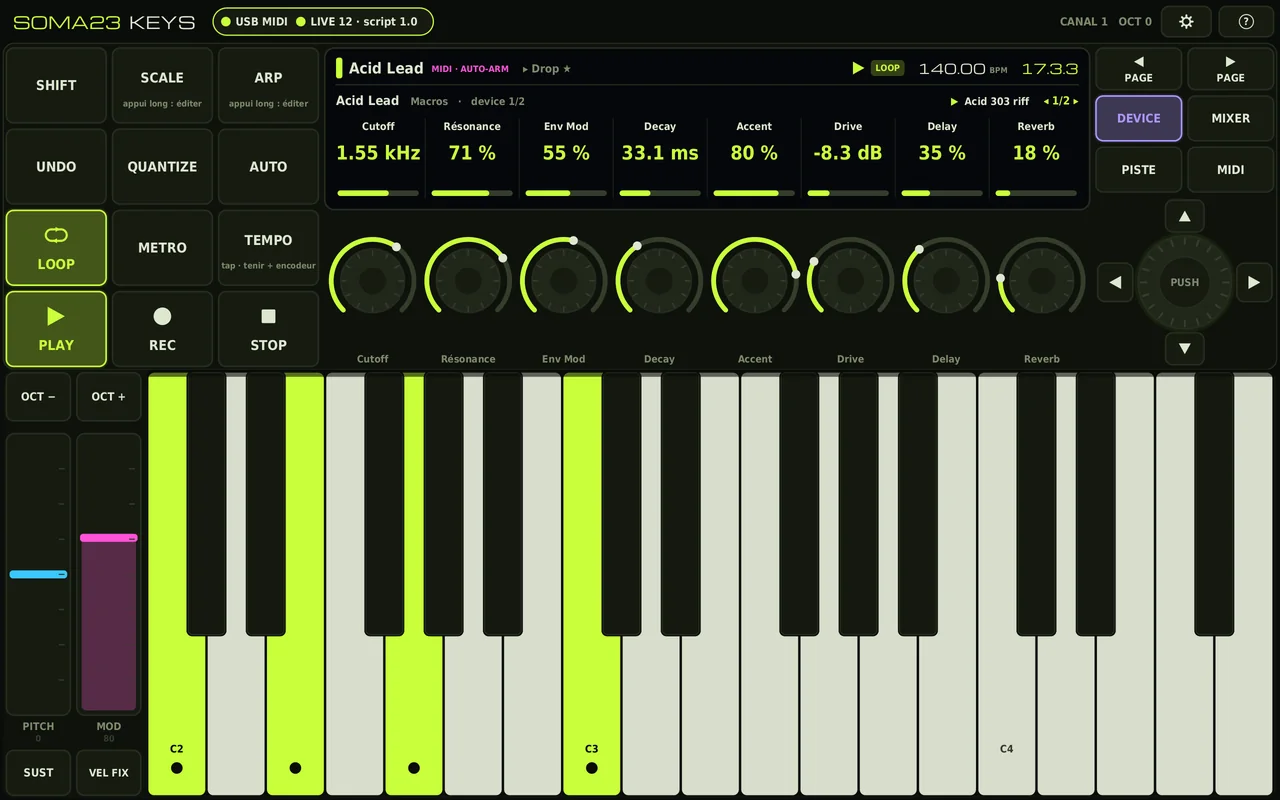
The app rendered at the Xiaomi Pad 5 resolution, with a demo set
Like SOMA23 DECK, the app uses Android’s “MIDI” USB mode: plugged into the computer, the tablet becomes a MIDI keyboard. A small script installed in Live does the rest.
Windows sees the tablet as a standard USB MIDI keyboard, with no driver. Notes, pitch bend, modulation and sustain go out on the playing channel; the controls go out on channel 16, which Live passes to the script.
The control surface script reads the state of the set every 100 ms and only sends what changes: track, scene, highlighted clip, tempo, position, transport, and the 8 parameters lined up with the encoders.
17 scales plus chromatic, chords built within the scale or fixed, and an arpeggiator locked to Live’s MIDI clock.
Holding SHIFT gives access to the secondary functions, written in orange below and on the buttons. The labels are those shown in the app.
The selected MIDI track is armed automatically, as with Push: you pick a track with the encoder and play. If you arm a track by hand, automatic arming steps back. Adjustable in the settings.
Scale, chords and arpeggiator are set on the 8 encoders, with a long press on SCALE or ARP.
17 scales plus chromatic, any root: major, minor, modes, harmonic and melodic minor, pentatonics, blues, Phrygian dominant, Hungarian minor, double harmonic, hirajoshi, whole tone.
GUIDÉ (guided): an out-of-scale key plays the scale note just below. HORS GAMME MUET (out-of-scale muted): it plays nothing. FACILE (easy): the white keys play the scale in order, the black keys are muted, and each key carries the name of its note.
HARMO 3 or HARMO 7: a 3- or 4-note chord built within the scale. Or a fixed chord: major, minor, sus2, sus4, 7, maj7, min7, add9, min9, fifth, fifth + octave, octave.
Voicing: normal, 1st or 2nd inversion, or open.
Up, down, up-down, down-up, as played, random, chord. Rates from 1/4 to 1/32, triplets included; 1 to 4 octaves; gate; swing from 50 to 75%; latch; played or fixed velocity.
It locks to Live’s MIDI clock when Live is playing, and then starts on the next division. Otherwise it follows Live’s tempo, or its own internal tempo when Live isn’t there.
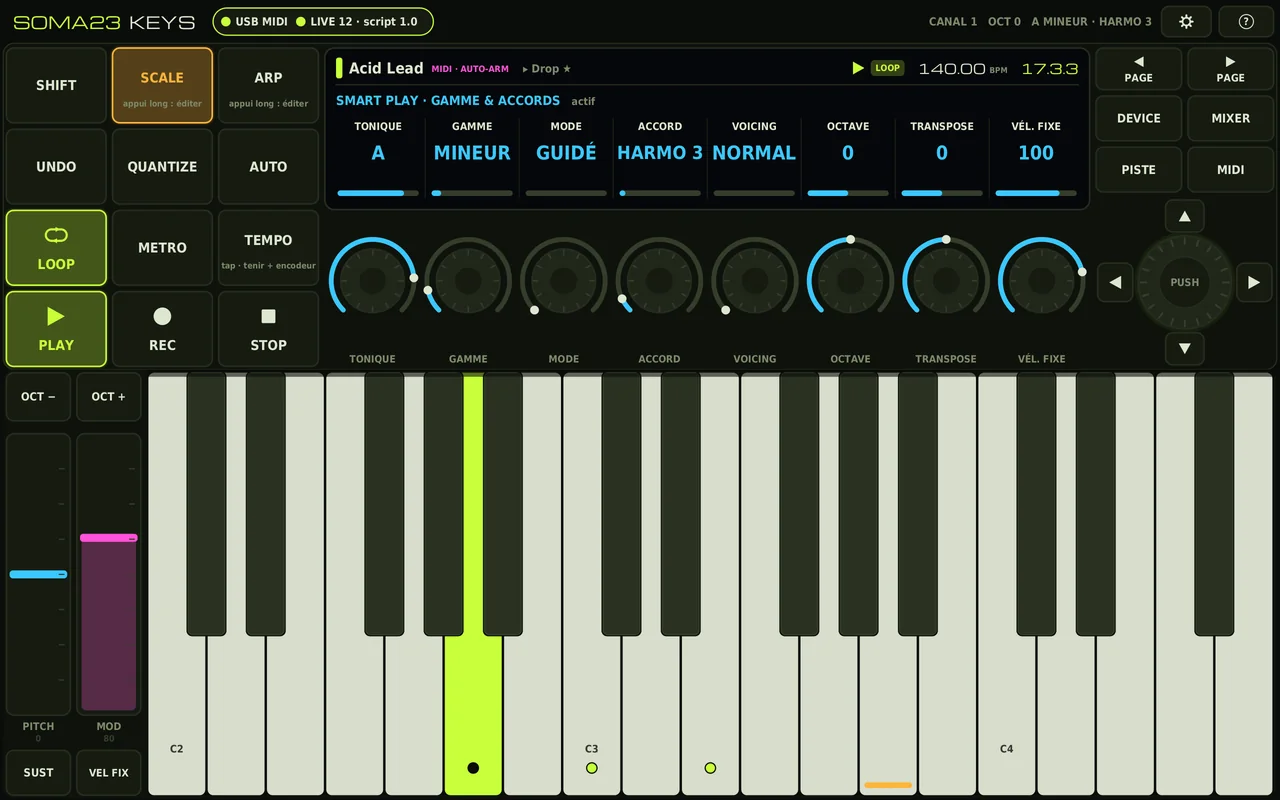
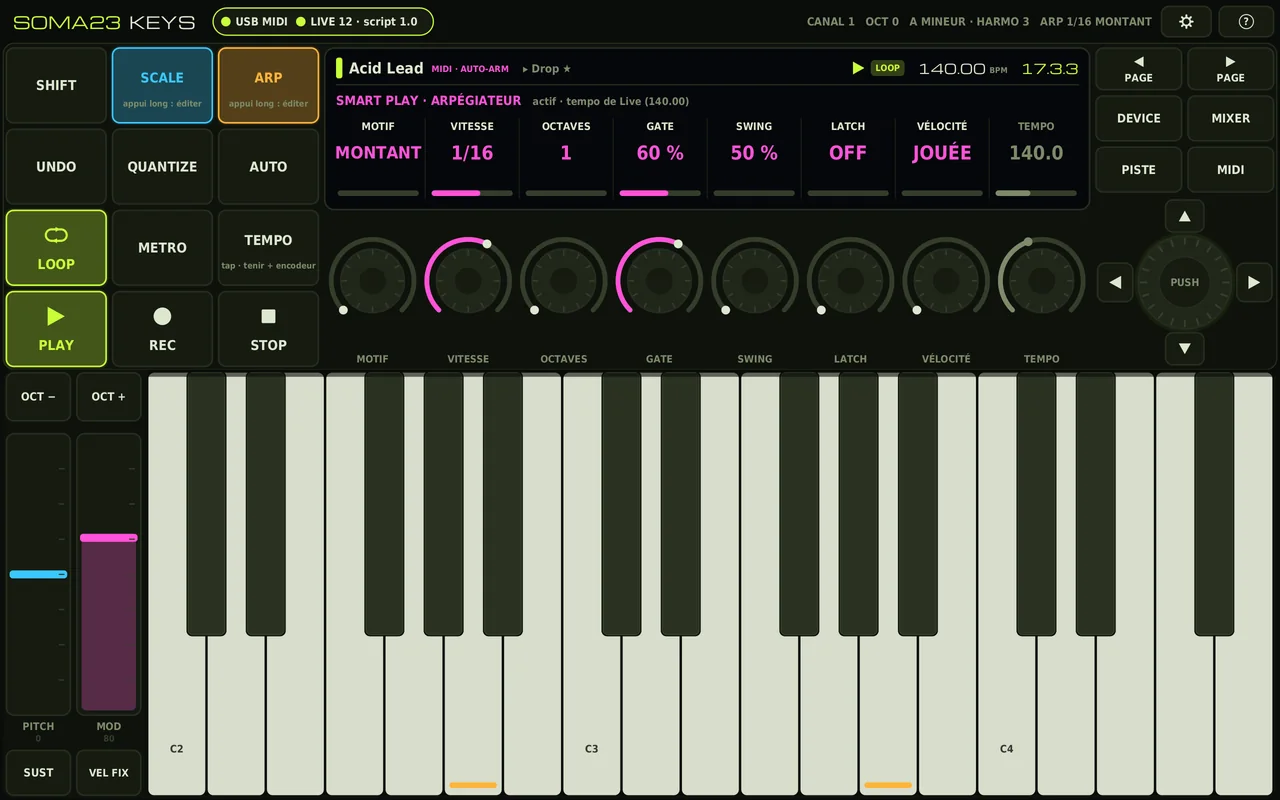
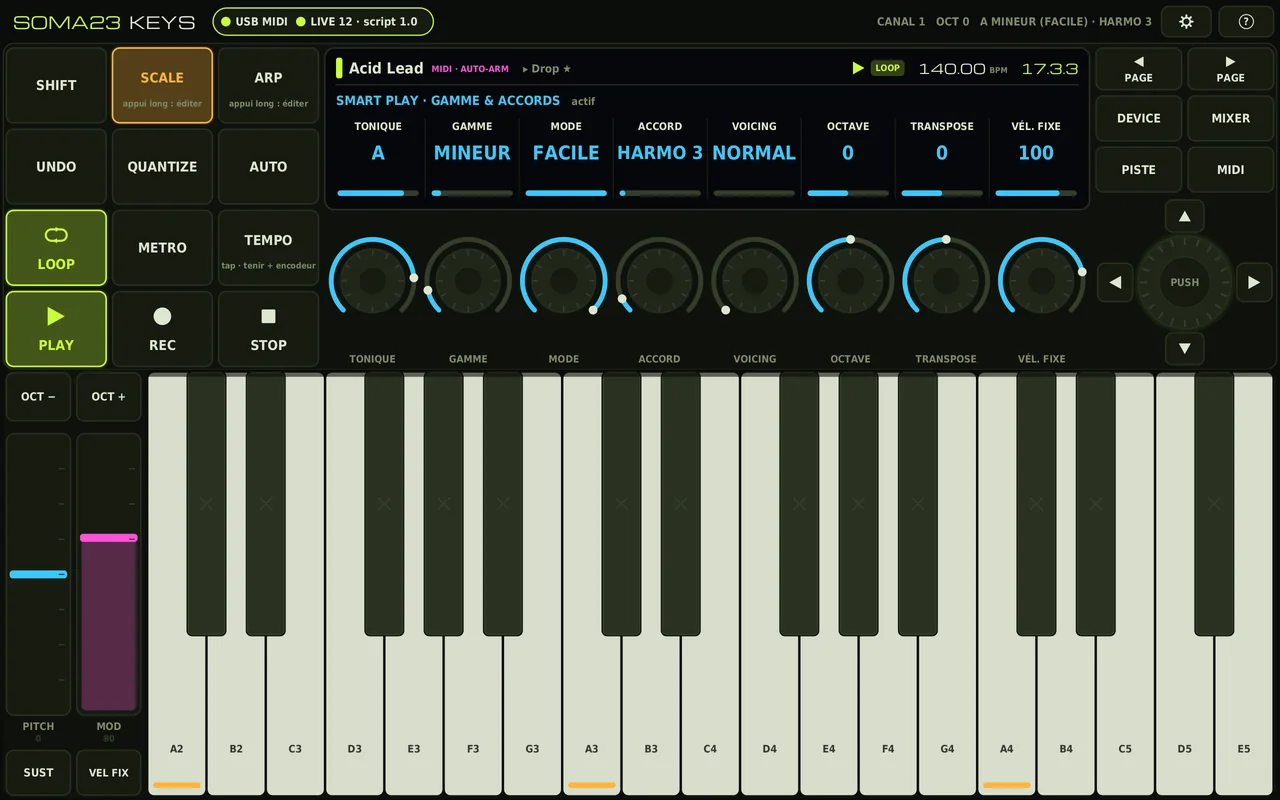
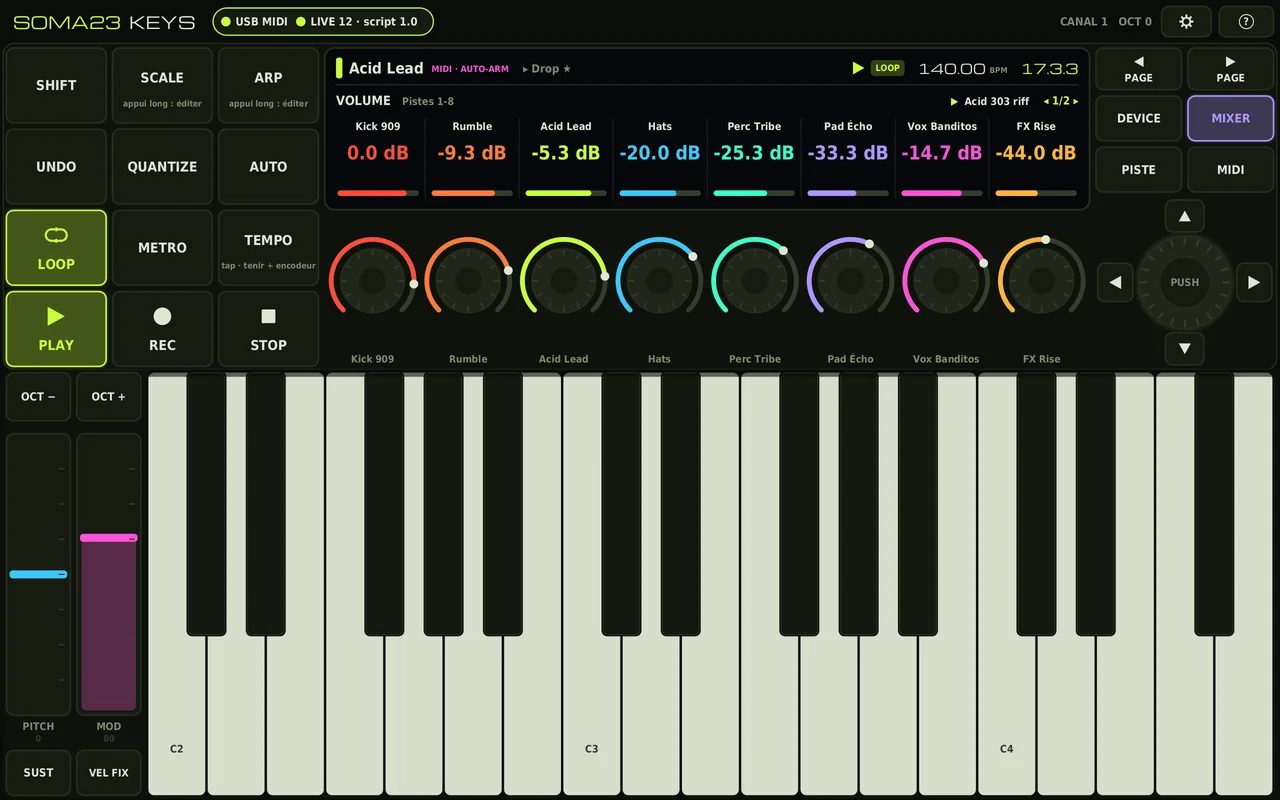
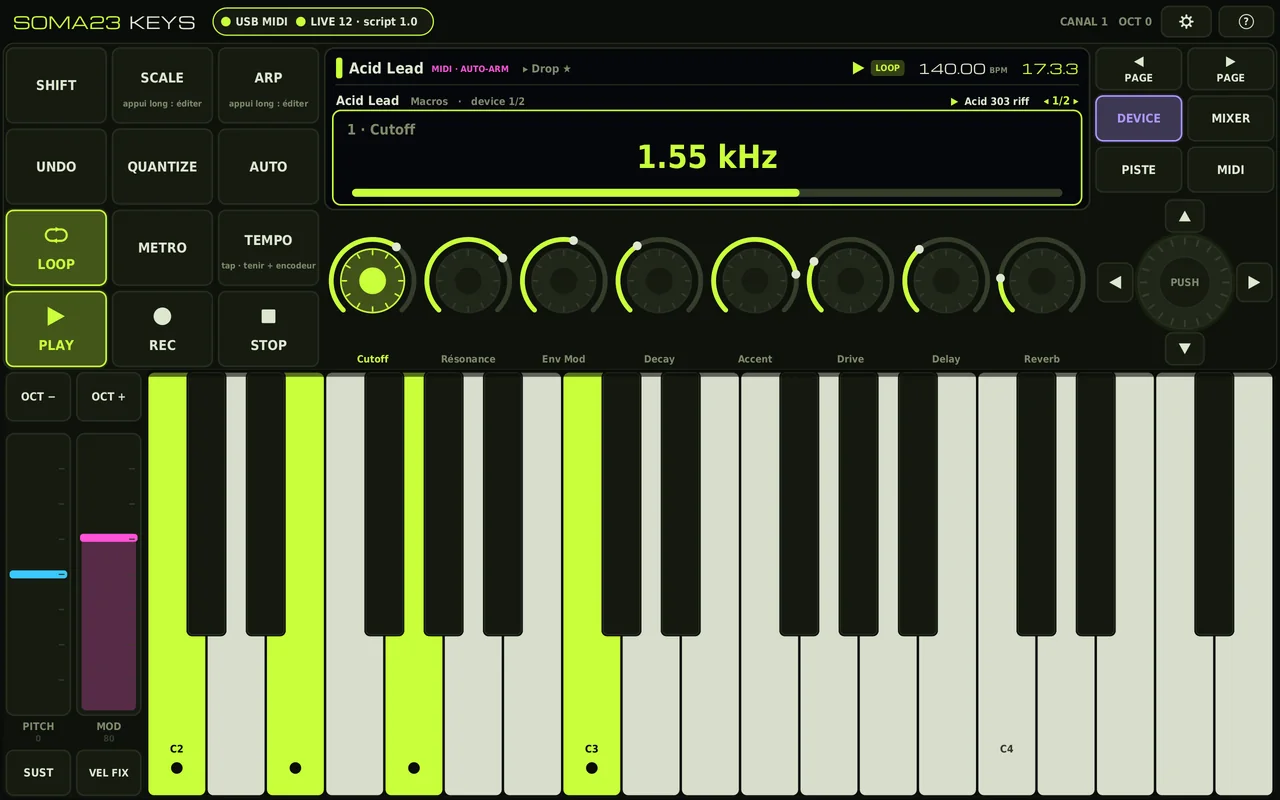
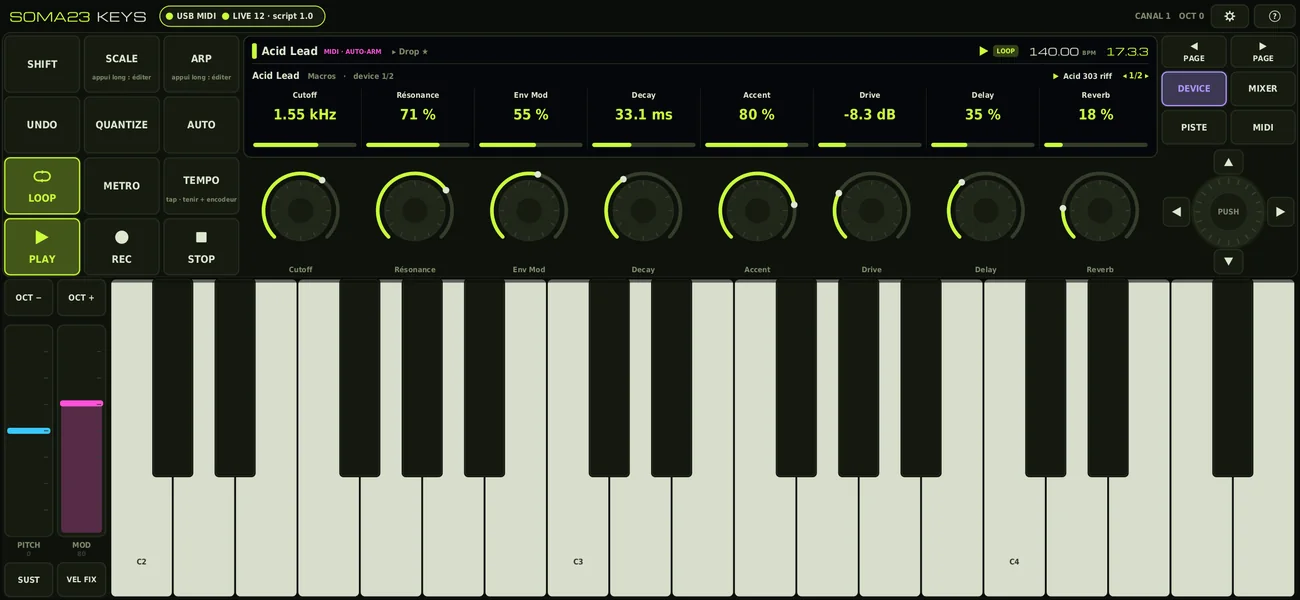
Scroll to see the other screenshots.
Two things to install: the app on the tablet, and, once and for all, the script in Live.
adb install SOMA23-KEYS-v1.0.apk from the computer.SOMA23_Keys folder (4 .py files). Copy it into the Remote Scripts folder of your User Library, creating that folder if it doesn’t exist:
Documents\Ableton\User Library\Remote Scripts\~/Music/Ableton/User Library/Remote Scripts/The keyboard, the strips, the sustain, the arpeggiator and MIDI mode work with any software: the notes go out on the playing channel (1 by default, adjustable from 1 to 15). The buttons that control Live stay greyed out as long as the script doesn’t answer, and the tablet sends nothing on channel 16 without its answer, so as not to send stray controller messages to an instrument. A troubleshooting option forces sending.
“USB —” badge: tablet USB mode set to “MIDI”, a data cable, and no other MIDI app open on the tablet.
“LIVE : en attente du script” (waiting for the script): the SOMA23_Keys folder in the right place, with the 4 .py files directly inside; Live restarted; Control Surface with the tablet as input and output.
The notes don’t play: the tablet’s input with Track enabled, a MIDI track selected (automatic arming), and the playing channel not filtered on the track.
The script doesn’t load: Live’s Log.txt file (Windows: %APPDATA%\Ableton\Live x.x.x\Preferences\) contains the “SOMA23 Keys” lines.
A note gets stuck: Réglages → PANIQUE (settings → panic).
MIDI port already in use on Windows: only one program at a time per port (rekordbox, another DAW…).
Notes, pitch bend, modulation (CC1 by default) and sustain (CC64): on the playing channel, 1 to 15. MIDI mode: absolute CCs 102 to 109 on the playing channel. Controls: Control Change on channel 16 (BF cc vv), all passed to the script by Live. Buttons: 127 on press, 0 on release. Relative: two’s complement, 1 to 63 = +n, 65 to 127 = −(128 − n).
| CC | Function | CC | Function |
|---|---|---|---|
| 20 | PLAY (play / stop) | 106 | 4D encoder: rotation (relative) |
| 21 | RESTART | 107 | 4D encoder: PUSH (launches the clip) |
| 22 | REC | 108 | SHIFT + PUSH (launches the scene) |
| 23 | REC ALT. | 109 / 110 | ▲ / ▼ (scenes) |
| 24 | STOP | 111 / 112 | ◀ / ▶ (device, track bank or track depending on the mode) |
| 25 | STOP all clips | 113 / 114 | PAGE ◀ / ▶ |
| 26 | LOOP | 115 | ARM (selected track) |
| 27 | MIDI OVERDUB | 116 | STOP the track’s clips |
| 28 | METRO | 117 | MUTE |
| 29 | TEMPO (tap; held + 4D rotation = tempo) | 118 | SOLO |
| 30 | UNDO | 119 | HELLO (value = the app’s protocol version) |
| 31 | REDO | 85 | MODE (0 device, 1 volume, 2 pan, 3 track, 4 MIDI) |
| 102 | QUANTIZE | 86 | SHIFT (127 / 0) |
| 103 | CAPTURE MIDI | 87 | automatic arming (127 / 0) |
| 104 | AUTO (automation arm) | 48–55 | encoders 1 to 8: rotation (relative) |
| 105 | re-enable automation | 56–63 | encoders 1 to 8: touch (127), release (0), default value (64) |
SysEx F0 7D 23 <command> <data> F7 (ID 7D, reserved for non-commercial use). The script sends a PING every second; with no news for 3.5 s, the app considers Live absent.
| Cmd | Name | Data |
|---|---|---|
| 01 | HELLO | protocol, script version, Live major version |
| 02 | MESSAGE | text shown for 1.6 s |
| 03 / 04 | PING / BYE | script present, script unloaded |
| 10 | TRANSPORT | playback, recordings, loop, metronome, automation, overdub, view, auto-arm, undo / redo, tempo, time signature |
| 11 | POSITION | bar, beat, sixteenth |
| 20 | TRACK | index, count, type, flags (armed, mute, solo…), colour, name |
| 21 | SCENE | index, count, colour, name |
| 22 | CLIP | state of the highlighted slot, colour, name |
| 30 | PAGE | mode, bank, devices, colour, title, subtitle |
| 31 | SLOT | encoder number, flags, normalised value, colour, name, value as displayed by Live |
Original Soma23 design, with no brand or graphic element from any manufacturer. Ableton and Live are trademarks of Ableton AG; SOMA23 KEYS is an independent project, not affiliated with Ableton. Michroma font: SIL Open Font License.