SPECTRA SamplerAndroid app · version 1.5

SPECTRA-12SAMPLER

A sample groovebox in your tablet. Twelve tracks, 1,275 sounds in four packs, a p-lock sequencer and everything you need to play live. Twenty-four factory projects to get you started, from tribe to techno; your track comes out as a WAV file, with its stems.

Android 7 or later · tablet or phone · landscape · no account, no internet access · interface in French

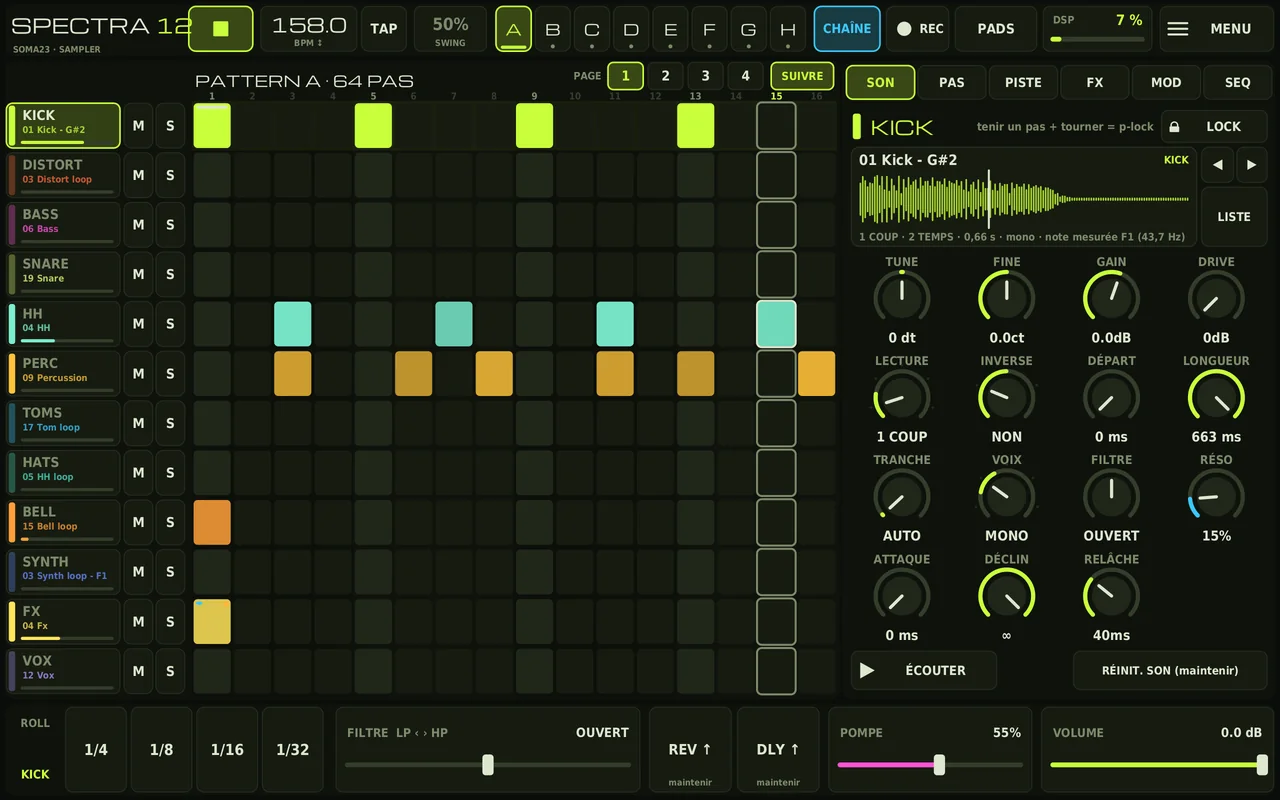
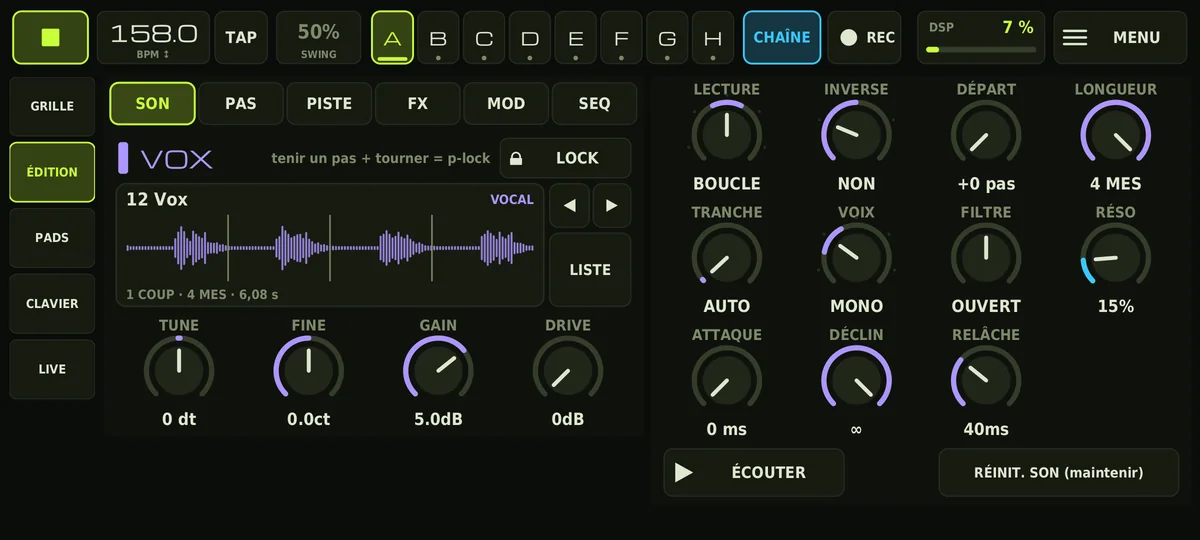
SPECTRA-12 SAMPLER on a tablet: the 12-track grid on the left, the sound settings on the right, the live controls at the bottom
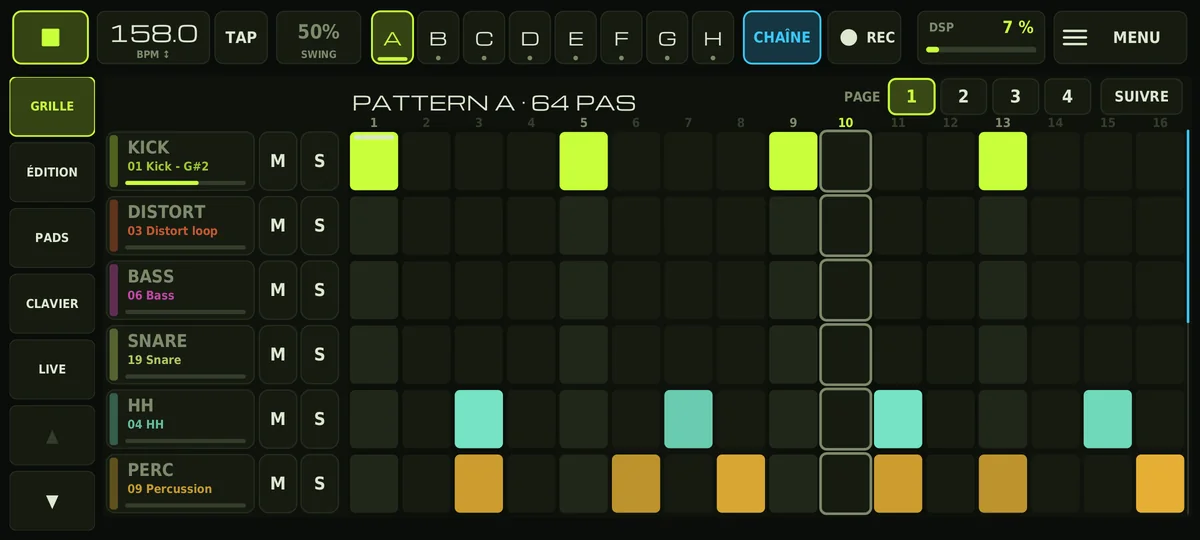
The same app on a phone: the grid, with a page rail on the left

Tablet: everything on one screen.
Phone: in pages.

Four packs, a sequencer, a mixer

Each track plays one sample, with sixteen settings of its own: pitch, gain, start, length, envelope, saturation, filter. All of them can be locked step by step, and a step can even play a different sample from the rest of the track.

1,275 samples

Kicks, basses, drums, distorts, synths, stabs, effects and vocals, as one-shots or loops: 484 loops in all, each at its own tempo. In the browser, you pick the pack and then the category, with preview, and ◄ ► moves to the next one.

PACK 1158 BPM157 PACK 2160 BPM204 PACK 3160 BPM291 PACK 4126–128623

The sequencer

A grid of 16 to 64 steps, eight patterns, and a 64-slot song mode where each pattern repeats 1 to 32 times. Loops carry on from one slot to the next without restarting.

P-locksSample-lockVelocityAccentProbabilityRatchetsMicro-timingPolymeterSwingEuclideanChords

Live and output

Twelve pads and a keyboard to play on top, live recording into the grid, and live gestures: roll, filter, effect sends, pump. Effects and master at the end of the chain.

ROLLDJ filterReverb / delay sendsPump2 LFOs × 8 routingsDattorro reverbPing-pong delayGlueLimiter24-bit WAV13 stems

Five ways to play a sample

Each loop keeps its pack’s tempo: 158, 160, 126 or 128 BPM. Depending on the mode, a sample follows the song’s tempo like a record, keeps its pitch, or is cut into slices. The mode names are those shown in the app.

1 COUP
One-shot. The sample at its own speed: pitch and duration move together. The end is always faded, to avoid clicks.
1 COUP ÉT.
Stretched one-shot. The duration follows the tempo and the pitch stays the same.
BOUCLE
Loop, locked to the song: launched in the middle of a bar, it starts at the right place. Away from the loop’s own tempo, the pitch follows the speed, like a record played faster.
BOUCLE ÉT.
Stretched loop: also locked, but time-stretched to keep its pitch at any tempo. The right choice for a bass or a pad played far from its tempo.
TRANCHES
Slices: the loop is cut into sixteenth notes. Each step plays its slice, you reorder them to rebuild a break, and ratchets make it stutter. Follows any tempo without stretching: perfect for drums, less so for a held note, whose pitch seems to shift far from its tempo.

On screen

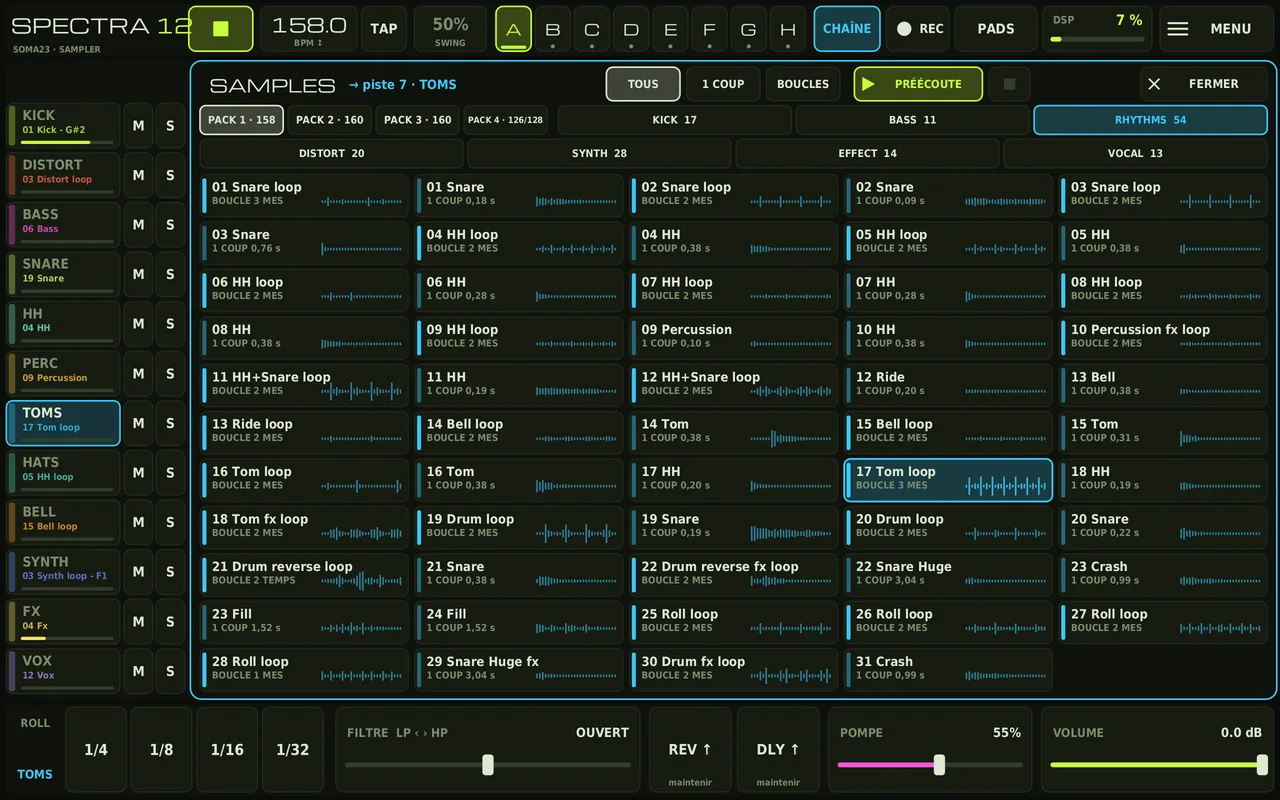
The sample browser: PACK 1 to 4 tabs with their tempo, the pack’s categories, waveforms, one-shot and loop filters
The browser. The pack first, with its tempo, then its categories; a one-shots / loops filter and preview. Tapping a sample assigns it to the track.
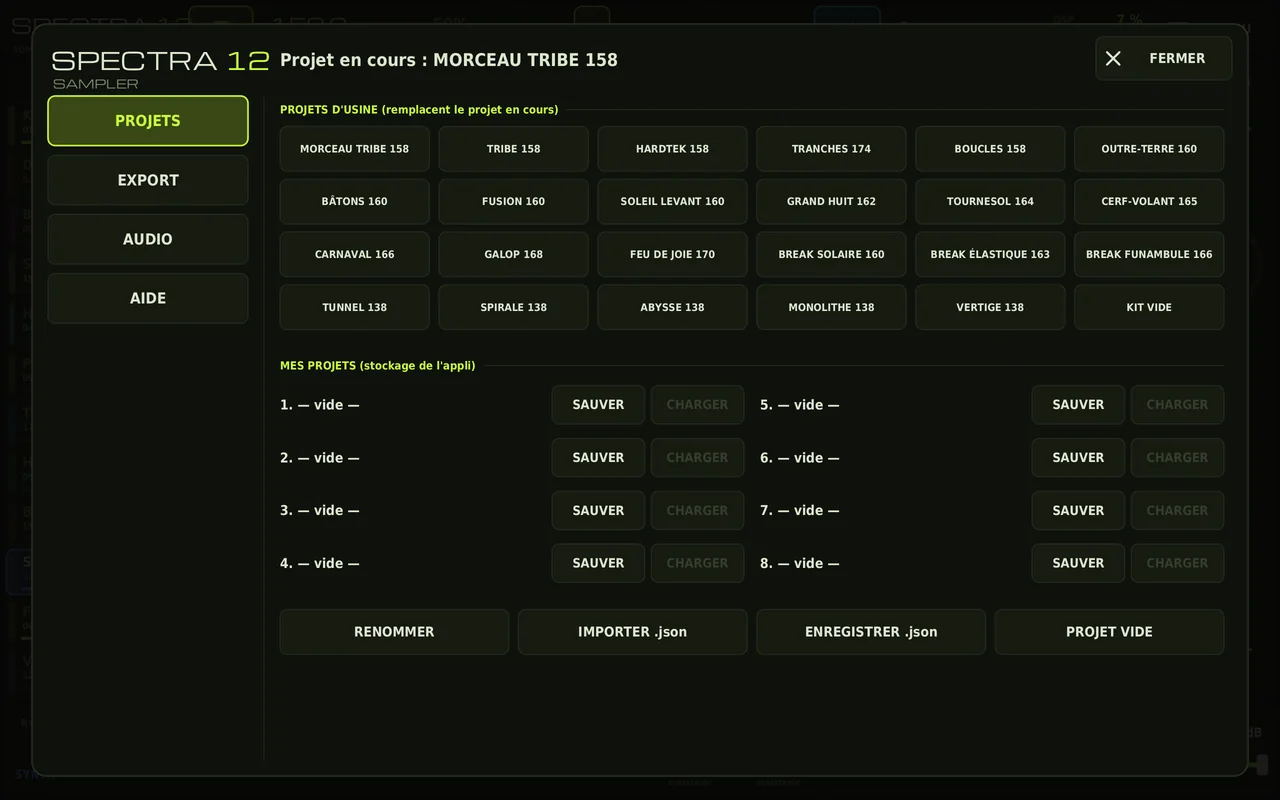
The Projects menu: the 24 factory projects as buttons, and eight save slots
Projects. The 24 factory projects in one tap, eight slots for your own, import and saving as .json.
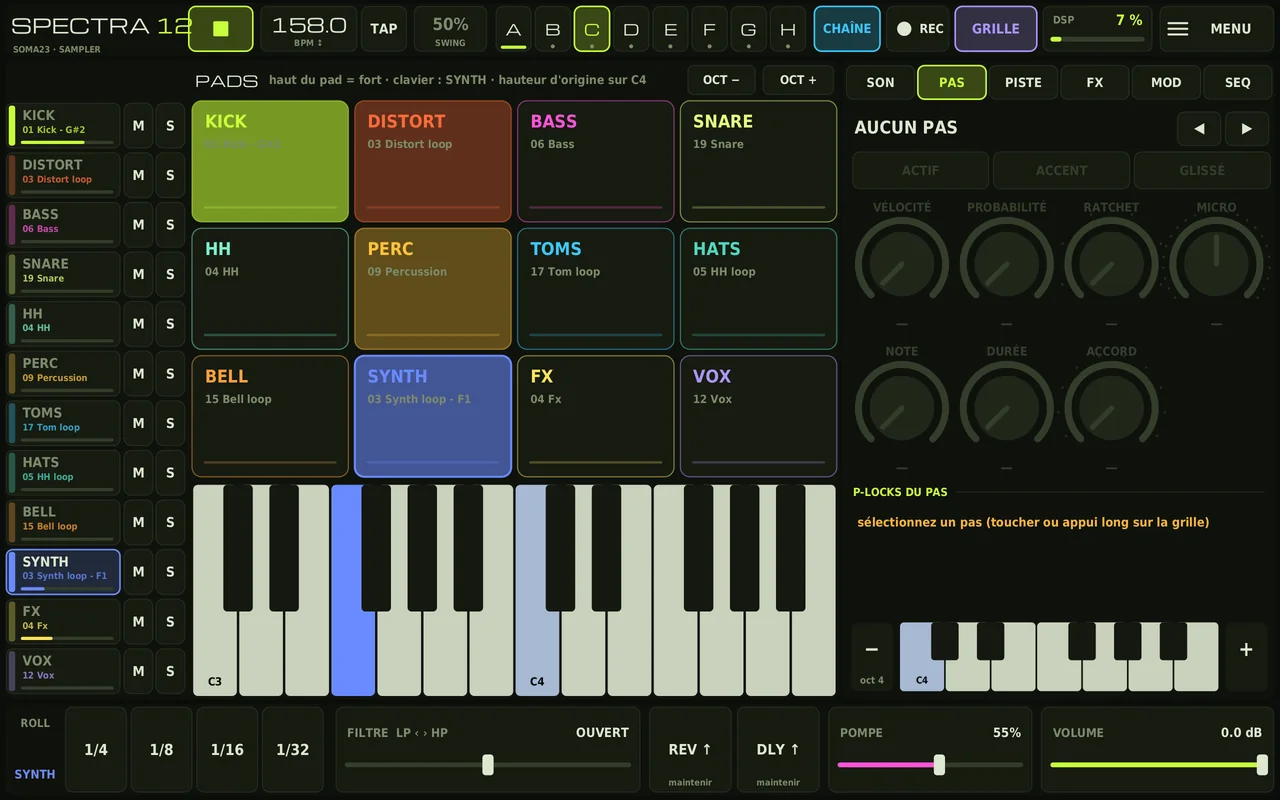
The pads view: twelve coloured pads and a keyboard, with the step’s p-locks on the right
Pads and keyboard. Top of the pad: loud; bottom: soft. The tinted key on the keyboard gives the sample’s original pitch.
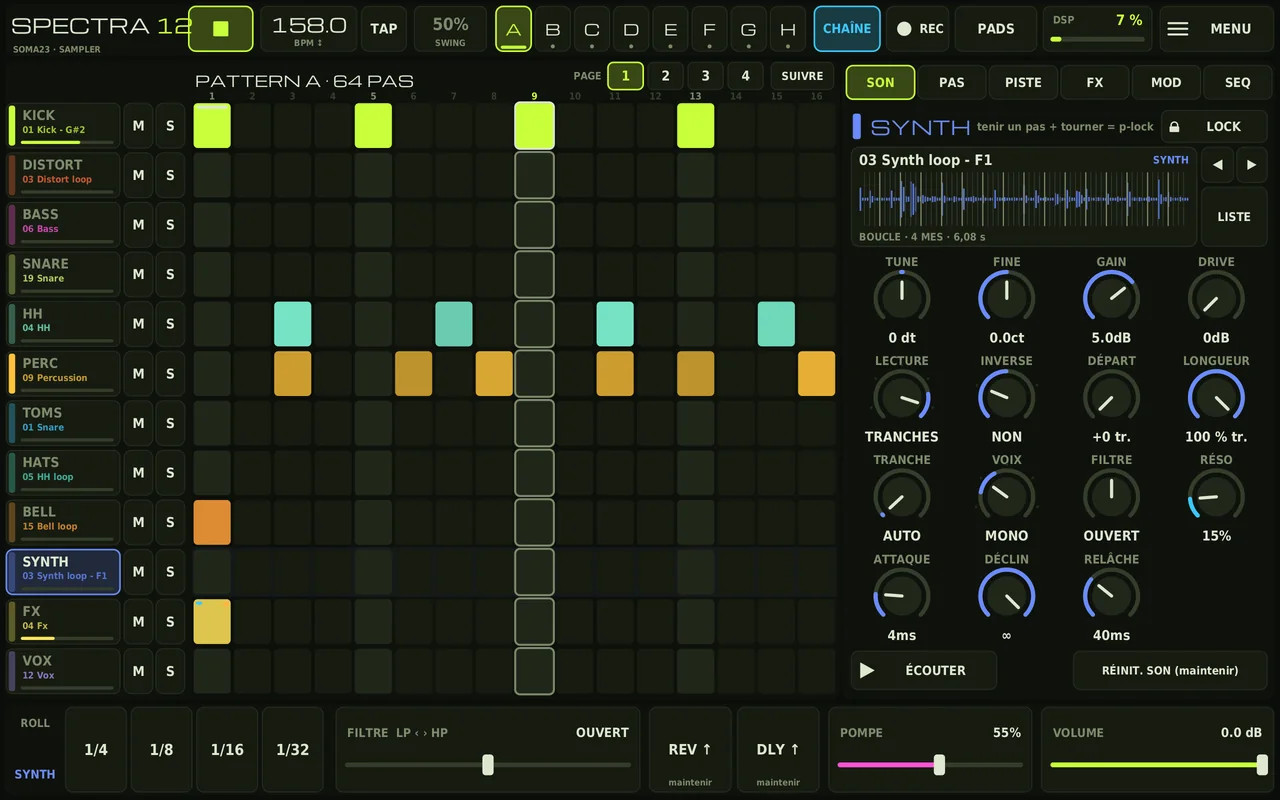
A synth loop in slice mode, with its settings
A loop in slices. The waveform shows the region being played and the playhead.
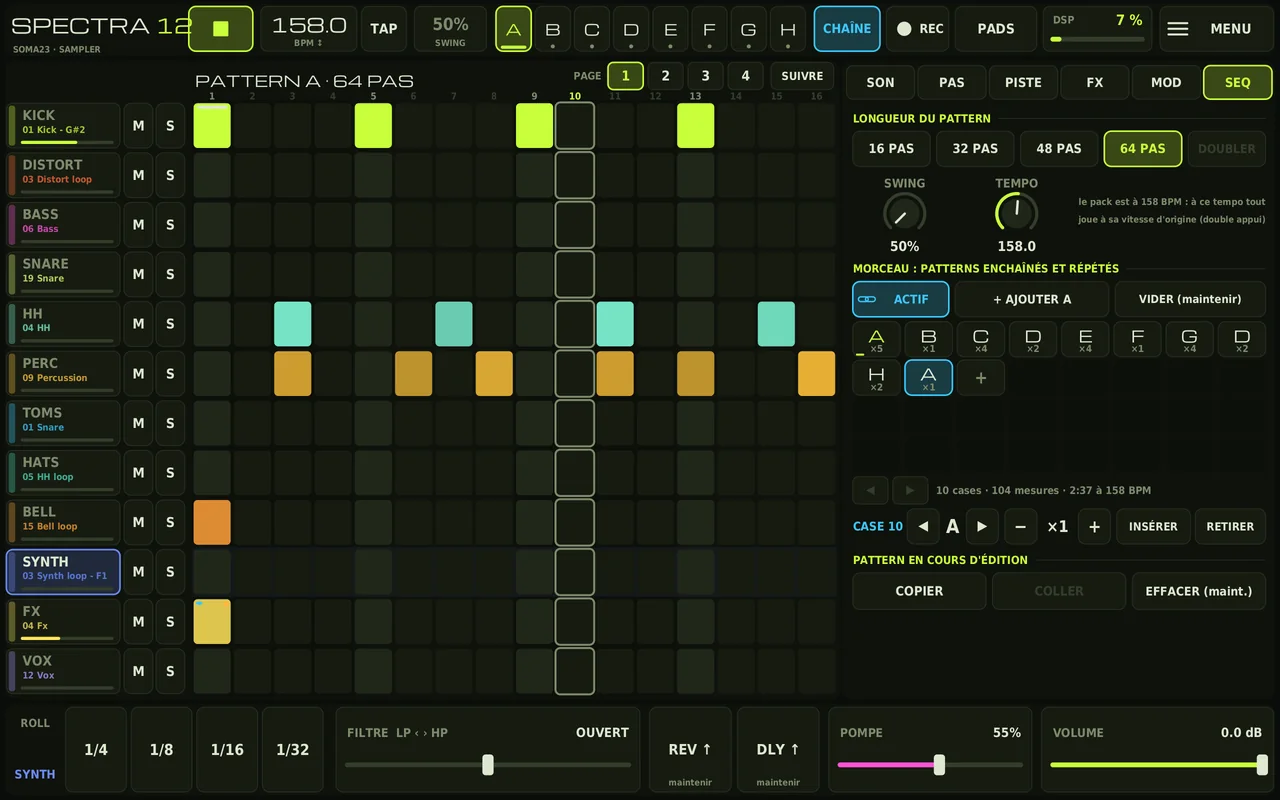
The SEQ tab: pattern length, swing, tempo and the list of song slots
The song. Patterns chained and repeated, with the total length in bars and minutes.
On a phone, the Edit page: sound settings in two columns
On a phone. The same functions, spread over pages: grid, edit, pads, keyboard, live.

Scroll to see the other screenshots.

24 projects to get started

Nineteen complete tracks, four projects to play live and an empty kit, composed for the app with the sounds from the packs. Load them from MENU → PROJETS, take them apart, keep what you like.

The first ones: tribe, hardtek, drum’n’bass

One complete track, and patterns to chain by hand, with CHAÎNE switched off.

MORCEAU TRIBE 158

Pad intro, build-up, drop, break without the kick, roll, second drop, outro.

96 bars · 2:26
TRIBE 158

32-step patterns, to chain live.

42 bars
HARDTEK 158

Kick, distort loop and distort hits, toms and hi-hats as loops, synth, stabs, vocals.

76 bars
TRANCHES 174

Drum’n’bass: breaks in slices, reordered and reversed, loops stretched to 174.

38 bars
BOUCLES 158

A progressive stack of loops.

36 bars
KIT VIDE

The starting kit, nothing programmed.

—

Three dark tracks at 160

A club structure: 16-bar DJ intro, groove, break, build-up, drop, second break, final drop, outro, with a phrase ending every 8 bars.

OUTRE-TERRE 160

Pack 3, in A: dark tribe, glitches, chopped vocals, call and response between stab and voice.

136 bars · 3:24
BÂTONS 160

Pack 2, G minor: sticks, mid bass played note by note, break cut into slices.

132 bars · 3:18
FUSION 160

Pack 3 in A, with the mid bass and stabs of pack 2 transposed up a tone and the hi-hats of pack 1.

116 bars · 2:54

Ten happy tracks, from 160 to 170

Pumptribe in major keys, three of them breakbeat: a bass galloping behind every kick, offbeat stabs, sounds from the first three packs mixed together and tuned to concert pitch.

SOLEIL LEVANT 160

A major, I-V-vi-IV: gallop, offbeat stabs, descending arpeggiated hook.

108 bars · 2:42
GRAND HUIT 162

G major, vi-IV-I-V: a rolling gallop with three sixteenths per beat, short kick, lead from pack 1.

120 bars · 2:58
TOURNESOL 164

A major: distorted bass from pack 1, pickup stabs, pad and vocals from pack 3.

104 bars · 2:32
CERF-VOLANT 165

D major, I-vi-IV-V: airy lead, noise riser across the whole build-up.

108 bars · 2:37
CARNAVAL 166

G major, maj7 chords: lead from pack 1, dense percussion from pack 2.

120 bars · 2:53
GALOP 168

A major, vi-IV-I-V: the bass up front, a gallop that rolls at the end of the bar.

108 bars · 2:34
FEU DE JOIE 170

F major: kick, bass, loops and vocals from pack 1, stabs and lead from packs 2 and 3.

104 bars · 2:27
BREAK SOLAIRE 160

Breakbeat in A major: pack 2 break in slices, distorted bass from pack 1, syncopated gallop.

104 bars · 2:36
BREAK ÉLASTIQUE 163

Breakbeat in G major, I-IV-vi-V: pack 3 drum loop in slices.

108 bars · 2:39
BREAK FUNAMBULE 166

Breakbeat in D major, vi-IV-I-V: pack 3 glitch break, hi-hats from pack 1.

120 bars · 2:53

Five techno tracks at 138

Minimal, raw, deep or hypnotic techno, made with pack 4 alone: each track starts from one of its drum kits, with percussion in 3, 5 and 7 steps turning against the 4/4.

TUNNEL 138

Raw, F minor: a saturated, hollowed-out rolling rumble, percussion in 3 and 5 steps, echoing stab.

212 bars · 6:09
SPIRALE 138

Hypnotic, G minor: bass in three sixteenths, 7-step sequence, sus2 chords in the break.

220 bars · 6:23
ABYSSE 138

Deep and dub, D minor: offbeat sub, Dm9 and B♭maj7 chords in the echo, pad.

220 bars · 6:23
MONOLITHE 138

Raw and industrial, C minor: saturated kick, rumble, drum loop, metal in 3 and 7 steps, stabs.

204 bars · 5:55
VERTIGE 138

Hypnotic, A♯ Phrygian: A♯ / B riff, 7-step sequence, two breaks and two drops.

200 bars · 5:48

Install the app

The app installs directly from the APK file.

  1. Download the APK from the tablet or the phone. It weighs 272.5 MB because the four packs are inside: use Wi-Fi.
  2. Open it from the download notification or the Files app.
  3. Allow the installation if Android asks: it offers to open the “Install unknown apps” setting for the browser or the Files app. Accept, then come back.
  4. Launch SPECTRA Sampler (the waveform icon). The help opens on first launch. The samples of the open project load first: while some are still missing, the top bar shows how many are loaded out of the total.

Good to know

Samples load on demand. Decoded, all 1,275 would take about 726 MB, more than the memory Android gives an app. So it always keeps the ones of the open project and rotates the others. A sample not loaded yet plays silently until it arrives.

DSP load is shown at the top of the screen. It shows what the device is handling in real time. On an entry-level phone, that’s the figure to watch.

If the sound crackles, open MENU → AUDIO and raise the buffer. On some Samsung devices, turning off Dolby Atmos in the phone’s Sound settings can also help.

In pack 4, a loop’s name gives its key, not necessarily the note the bass holds: listen before transposing.

No MIDI. Over Bluetooth, live playing is delayed by the system’s latency: prefer wired headphones to play.

Projects are shared as .json files: a small text file that refers to the samples by name. Eight slots in the app, plus an automatic save.